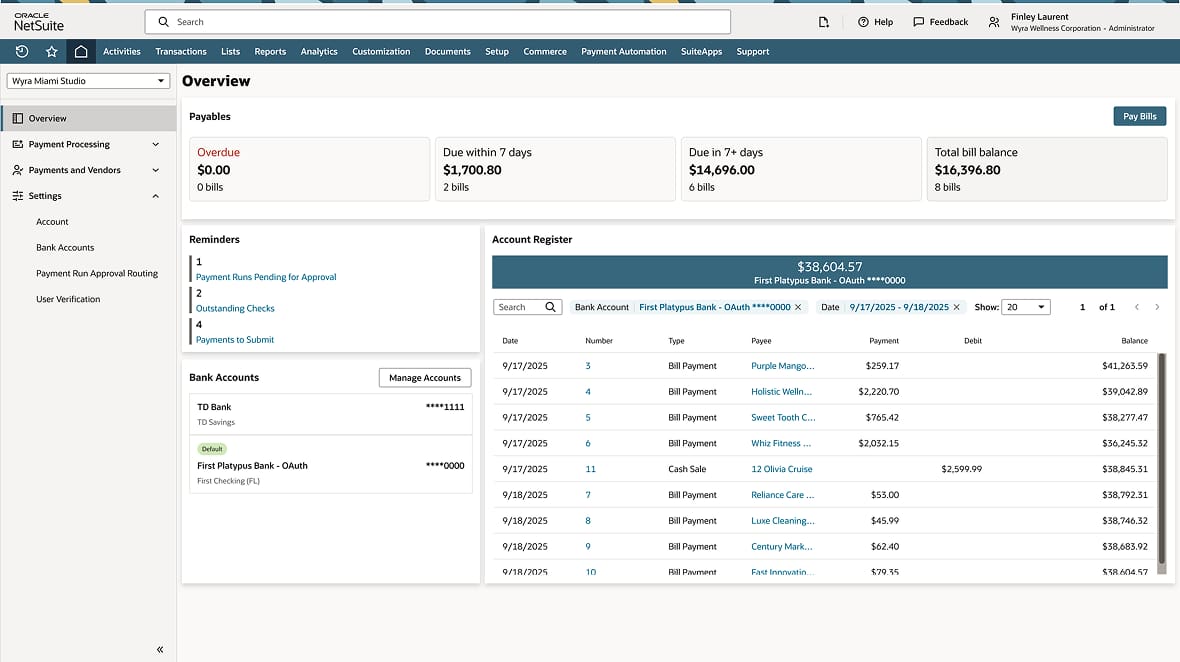
Staying ahead in today’s fast-paced business environment demands clear, timely information and tools that turn complex financial data into actionable insights. NetSuite 2026 Release 1 empowers CFOs and finance teams with new AI-powered close, reconciliations and advanced planning capabilities, and enhanced cash management, bringing greater clarity, speed, and confidence to financial management and decision-making.
AI-powered close management
Finance teams want faster, more efficient period closes—without sacrificing accuracy or control. As transaction volumes increase and processes become more complex, that requires smarter solutions that unify financial data and simplify next steps.
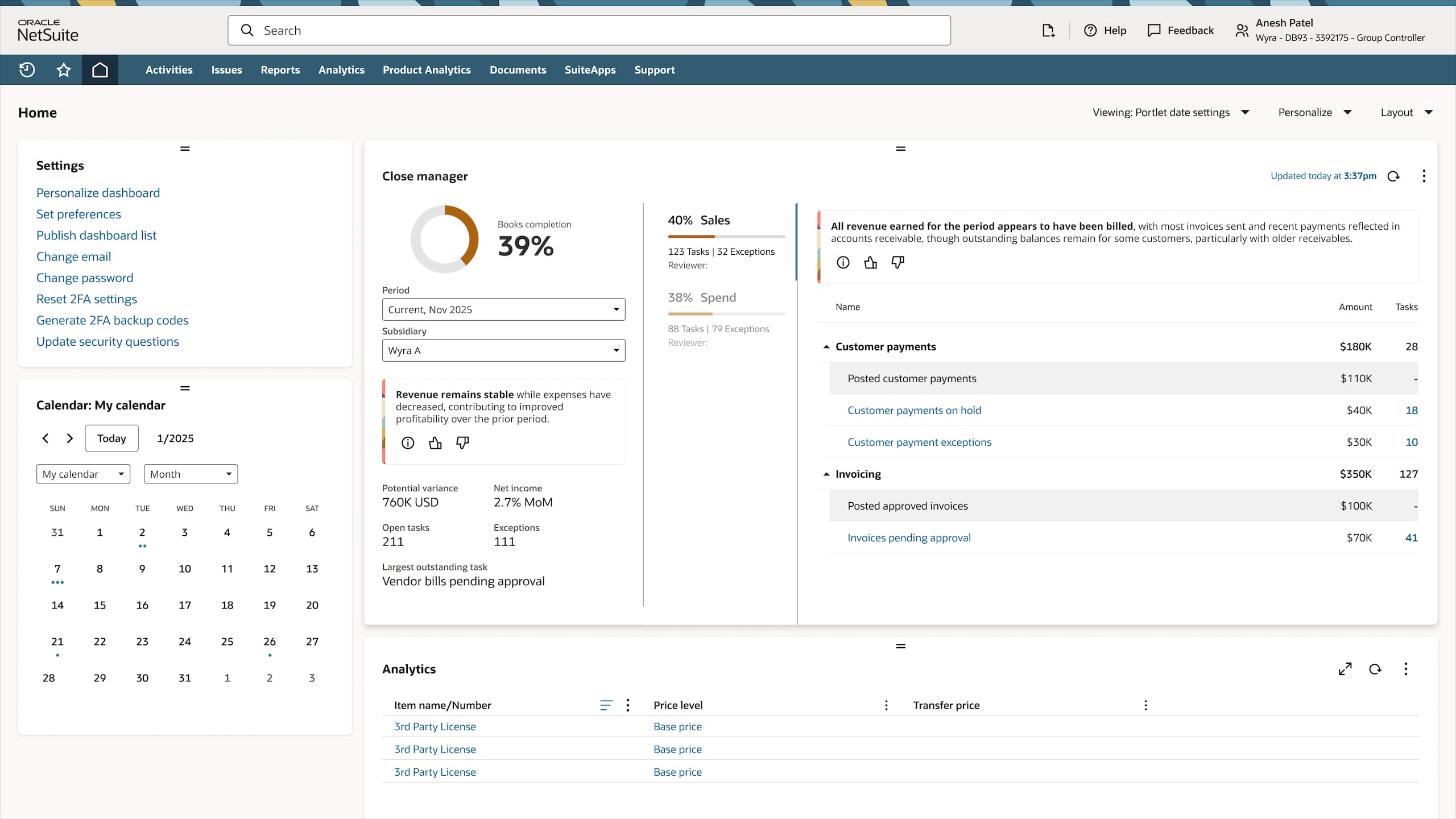
NetSuite 2026.1 introduces NetSuite Intelligent Close Manager which provides users with AI-powered, data-driven monitoring to help keep teams on track for a timely close. Finance teams can gauge progress at a glance while hyperlinked tasks minimize task switching friction and direct users to take action. Built-in AI insights highlight trends, errors, projected activities, and areas to focus on, helping accounting teams close their books with confidence and speed.
Enhancements in NetSuite Exception Management now include payment risk detection. By flagging changes to critical vendor data fields that occur near payment events, teams can better and more quickly identify potential fraud.
Improvements to elimination functions allow users to drill down and view source transactions for all balance sheet elimination journal entries. This increases visibility into intercompany elimination details and enables quick investigations.
The Run Reconciliation Rules enhancement helps users apply reconciliation rules to all existing unmatched data on demand, with added date controls to define which imports are eligible for processing. That helps quickly clear backlogs with less manual intervention and speed up reconciliations.
Suite Approvals lets you approve and manage journal entries more efficiently with direct access from approval and reminder portlets, providing enhanced visibility and oversight. Newly added columns in the reminders portlet display the next approver and transaction aging, making it easy to identify bottlenecks, prioritize tasks, and accelerate the approval process. New configurable settings let you control when journal entries are locked or reopened for editing during approval, eliminating manual resubmission steps and supporting accuracy and accountability throughout the close process.
Enhanced capabilities to better manage cash
Real-time visibility into cash positions, accurate forecasts, and seamless bank data integration are essential for well-informed, timely decisions. NetSuite 2026.1 provides new functionality aimed at improving financial data quality, minimizing friction, and increasing confidence.
Updates to NetSuite Cash 360 include support for sales orders with billing schedules so finance teams can deliver more precise forecasts that account for billing schedule dates and payment terms.
Bank feed integration adds flexible, customizable scheduled imports so users can define when and how often bank data is imported. In addition to better aligning with organization-specific workflows, accountants can refresh imported bank transactions on demand for real-time visibility and immediate access to up-to-date information.
Bank transaction matching leverages generative AI to extract richer, more structured bank data to strengthen the auto-match engine. This results in a higher number of successful auto-matches, greatly reducing the need for manual intervention and accelerating overall reconciliation processes for a more insightful, efficient cash management experience.
Notification management enhancements give users greater control over email alerts triggered by bank statement imports, allowing you to suppress notifications, minimize distractions, and avoid daily inbox overload.
Increased payment flexibility
NetSuite Intelligent Payment Automation, powered by BILL, is a fast, secure, and efficient way for US customers to pay vendors directly from NetSuite, now with added support for multi-subsidiary vendor payments using a single vendor record. It enables centralized, role-based initiation, approval, and processing of payments within NetSuite, with customizable approval workflows that strengthen internal controls, reduce fraud risk, and improve cash flow visibility. Organizations can pay bills across all subsidiaries, segment payments by department, class, or location for smarter reporting and compliance, and track vendor payments and statuses without leaving NetSuite. Additional enhancements include the ability to view and download images of cleared checks and new availability for companies headquartered outside the U.S. now can enable Intelligent Payment Automation for their U.S. subsidiaries.
Credit card payment processing for Canadian organizations is now available with NetSuite Pay. Customers with Canada-based addresses can apply for NetSuite Pay merchant services and transact in Canadian dollars to benefit from prenegotiated rates, automated reconciliations, and simplified settlement processes. Whether operating in the United States or Canada, businesses gain a simpler, more transparent payment experience without hidden fees or manual effort.
AI agents boost reconciliation and planning processes
With the 2026.1 release, several solutions within NetSuite EPM—Account Reconciliation, Planning and Budgeting, and Profitability and Cost Management—gain new AI capabilities that enhance accuracy, increase transparency, and boost confidence across core financial workflows.
-
NetSuite Account Reconciliation
Finance teams often spend significant time each period setting up reconciliation assignments; reviewing new accounts; and configuring preparers, formats, and risk ratings. A new AI assistant automates this process by identifying newly created accounts, assigning them to the appropriate preparers, applying the correct formats and attributes, and learning continuously from prior cycles to improve future reconciliations.
Traditional rule-based matching engines can miss exceptions or nonstandard transaction patterns, requiring accountants to investigate matches manually. A new AI-powered transaction matching assistant supplements existing rules with machine learning that uncovers hidden relationships, suggests likely matches with predictive confidence scoring, and improves accuracy over time as it learns from approved matches.
Explaining material fluctuations in account balances often requires manually gathering data and drafting narratives. A new GenAI flux analysis capability automatically detects fluctuations using configurable thresholds and produces draft, plain-language explanations based on financial and operational context, delivering consistent, ready-to-review narratives for each account.
-
NetSuite Planning and Budgeting
Accurate forecasting requires not only strong predictive models but also clarity on how predictions are produced. The enhanced multivariate AI forecasting capability provides transparent, interpretable insights into the drivers behind each forecast, helping finance teams better understand, validate, and trust AI-generated outcomes.
-
NetSuite Profitability and Cost Management
Designing and analyzing cost allocation models can be complex, often requiring deep expertise to build models or trace allocation flows. A new AI-driven agent introduces two assistants to simplify these processes: the Model Build Assistant interprets user inputs to automatically generate allocation models and rules, while the Allocation Trace Assistant produces natural-language explanations of allocation flows to help users quickly understand cost movements and respond to ad hoc inquiries.
Enhanced subscription management and cohort insights
With the 2026.1 release, NetSuite SuiteBilling enables businesses to fully monetize consumption commitments across your entire subscription portfolio by unifying how commitments, usage, and overages are priced, allocated, and reported, with flexible commitment allocation that shares credits across multiple usage-based services allowing for seamless and flexible subscription management. Overage rates can be defined per service line, accommodating unique pricing and simplifying the overall billing process.
Additionally, SuiteBilling’s cross-subscription prepay capability allows prepaid balances to be centrally managed and applied across various subscriptions for a single customer. This allows usage charges from separate subscriptions to automatically draw down from this prepaid balance, easing customer administration and enabling easier reconciliation of usage and payments.
The NetSuite Subscription Metrics dashboard features an easier way to monitor revenue, subscription performance, and customers with focused KPIs and illustrations grouped across three tabs: revenue metrics, unit economics, and subscriber retention. This enables deeper analysis of each pillar of your SaaS business health. New features include a recurring revenue bridge chart and advanced cohort analysis heat map visualization to quickly identify trends and growth drivers.
Additional enhancements allow users to set personal display preferences, toggle between periods such as current fiscal year, trailing twelve months, or year to month, and choose to display subscription data based on ARR or MRR. These features help decision makers compare meaningful performance markers and support confident, data-driven actions.
Project profitability and reporting made easier
This latest release introduces noteworthy enhancements to project profitability for project-based organizations focused on both revenue recognition and task management. With 2026.1, users can now directly recalculate revenue arrangements and plans within the project form. That helps simplify the process and provides immediate notifications after each revenue-generating project action. This update not only eases rev rec troubleshooting and ongoing management but also greatly accelerates issue investigation and resolution.
In addition, the revamped project task functionality allows teams to quickly add multiple tasks at project creation and efficiently edit tasks on existing projects via an intuitive pop-up interface. With support for core fields and flexible customization in 26.1, project setup becomes faster, bulk task entry is effortless, and project teams benefit from a reduced need for manual input. Overall, these enhancements ensure more responsive project oversight and better flexibility for both new and ongoing work.
Expansion of tax and compliance capabilities
2026.1 expands NetSuite E-Invoicing to support electronic invoicing in Belgium over the PEPPOL network and in Spain, meeting specific Veri*Factu standards such as digital signatures, unique invoice identifiers, and verifiable QR codes. That helps optimize invoice delivery and improve both AR and AP efficiency and compliance with digital invoicing mandates.
Additionally, SuiteTax introduces a new Tax on Term Discounts feature that calculates term discounts and associated taxes. This enhancement allows users to automatically generate credit memos for both the discount and the related tax amount, saving time and supporting compliance.
Learn more about all the updates in NetSuite 2026.1
This is just a summary of some of the game-changing features in NetSuite 2026 Release 1. Read more about what’s in the release on our Sneak Peek page, or dive deep into the release notes (opens in new tab). Most importantly, don't forget to request your Release Preview (opens in new tab) test account so you can get hands-on access and see how new features will work with your data, workflows, and customizations.
Stay in the know
Want to hear about NetSuite products? Sign up to get our latest product news, expert webinars, local events and more delivered straight to your inbox. Subscribe now (opens in new tab).
The preceding is intended to outline our general product direction. It is intended for information purposes only and may not be incorporated into any contract. It is not a commitment to deliver any material, code, or functionality, and should not be relied upon in making purchasing decisions. The development, release, timing, and pricing of any features or functionality described for Oracle’s products may change and remains at the sole discretion of Oracle Corporation.