From inventory and warehouse management to customer support and manufacturing, businesses are always looking to improve processes and implement cost-saving strategies to improve liquidity and financial flexibility. For teams already in a “do more with less” environment, success requires granular information to make smart, data-informed decisions that drive efficiency for the business.
AI brings efficiencies to pricing management
NetSuite 2026.1 helps with pricing management using AI-driven insights and tighter process controls. NetSuite Advanced Pricing debuts a rules-based pricing engine that supports cost-plus pricing and the ability to set targeted prices by date, item, and customer. Businesses can optimize margins while ensuring pricing consistency and control. Additionally, AI-generated narrative pricing summaries pull together critical data, including inventory levels, costs, and historical sales trends. This helps managers make informed, data-driven decisions quickly, improving competitiveness and profit margins.
Efficiently manage consignment inventory
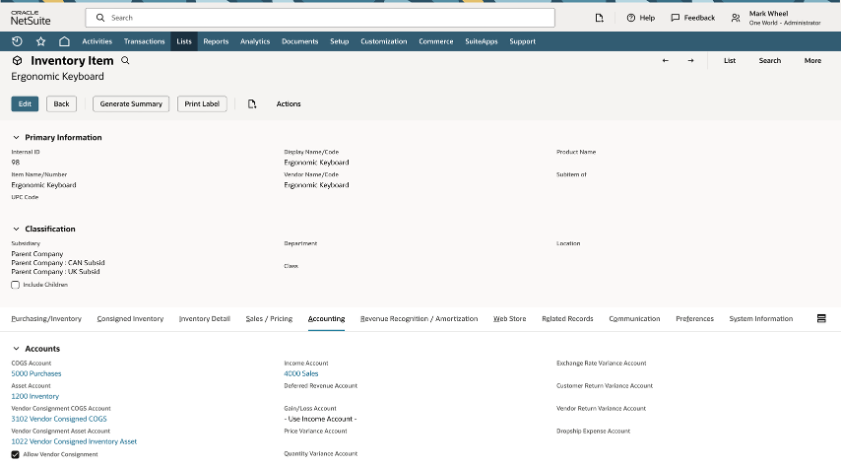
The new vendor consignment inventory management feature lets organizations efficiently manage inventory that is owned by vendors but stored at the organization’s facility or warehouse, minimizing risk and improving cash flow. That ability to track and manage vendor-owned stock reduces financial exposure and inventory risk by shifting responsibility for obsolescence, shrinkage, and unsold stock to the vendor. And, because payment for inventory is deferred until inventory is sold, you can significantly improve cash flow.
New and enhanced connections to popular apps
The NetSuite Connector for Salesforce provides enhanced sync scheduling and customizable connector fields to help keep teams aligned, workflows running smoothly, and customers engaged. Enhancements include:
- A new trigger-based sync engine in the NetSuite Connector for Salesforce that gives businesses complete control over when data moves between systems. Syncs can now be timed and triggered based on record status, field updates, or simple flags, allowing organizations to tailor automation to their unique processes. This flexibility eliminates rigid sync schedules and provides the right information to NetSuite at precisely the right time.
- Users can now add NetSuite Connector fields into existing Salesforce layouts, giving sales teams access to key NetSuite data without switching screens or modifying workflows. Administrators set full control over visibility by role, helping teams gain insights without unnecessary complexity.
- The NetSuite Connector for Salesforce now supports Salesforce Professional Edition, which can work within environments that don’t have API access to external systems. Customers can now run standard Salesforce-to-NetSuite sync flows without purchasing additional Salesforce licenses, making the connector accessible to more teams and lower-cost Salesforce configurations.
More data accuracy in ecommerce
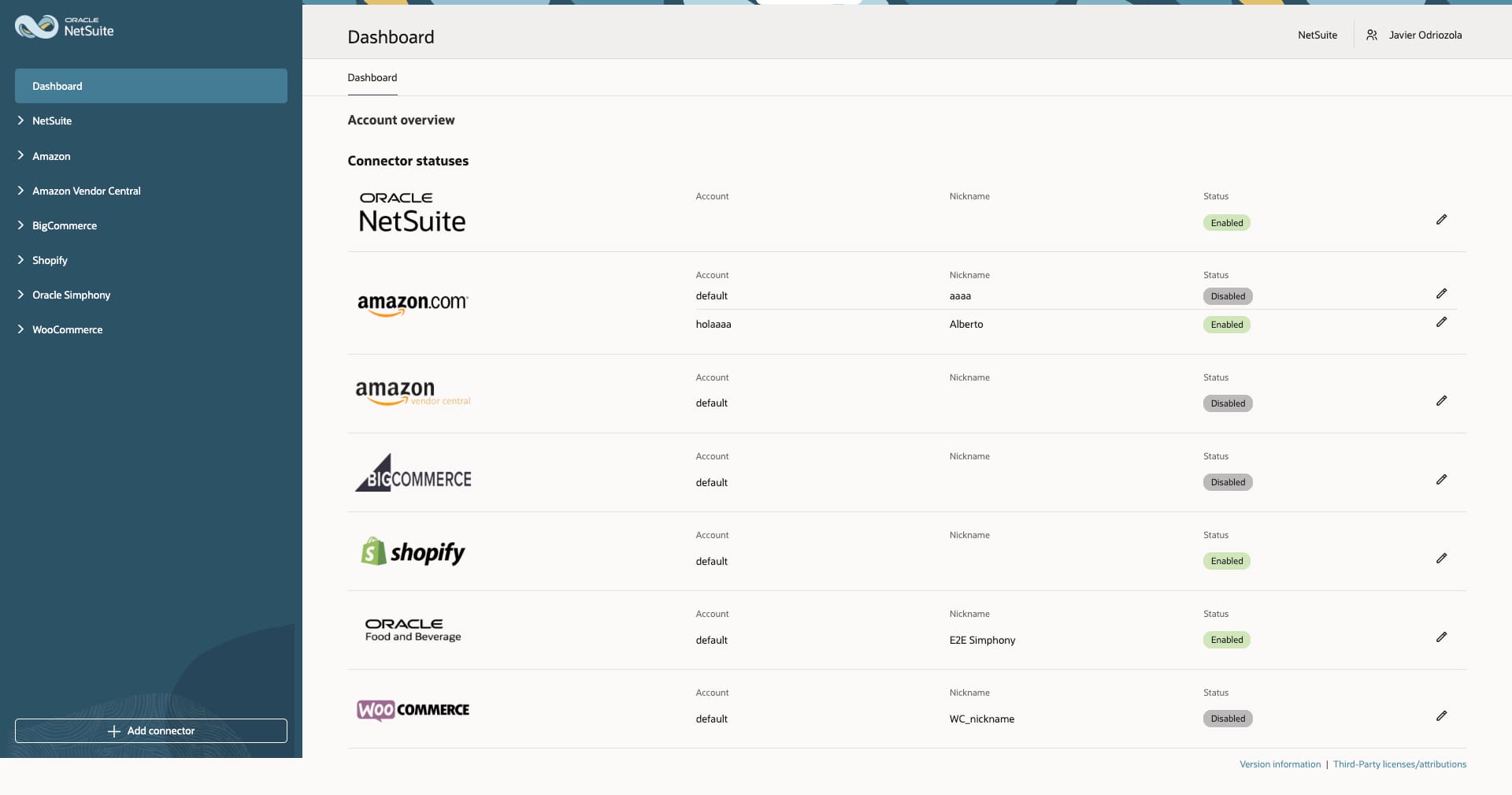
Do you use Shopify, Loop, or Amazon? NetSuite now has better synchronization and API performance to help keep orders, pricing, inventory, and payment data accurate and up-to-date.
- The new NetSuite Connector for Loop automates the flow of returns data from Shopify into NetSuite. By linking Loop directly to NetSuite, you can manage refunds and exchanges with greater accuracy and control. Automatically create return authorizations, item receipts, and cash refunds based on Loop workflows so inventory, financials, and customer records stay aligned. With expanded edge-case handling and new self-service configuration tools, organizations can resolve returns faster and maintain cleaner, more accurate financial data.
- The NetSuite Connector for Shopify now handles bidirectional order edit synchronization with Shopify B2B so that order changes in NetSuite, such as pricing updates, quantity modifications, or line-item edits, are reflected properly. With this addition, buyers always see accurate information in their B2B portals while operations teams eliminate manual corrections and keep fulfillment, invoicing, and reporting aligned.
- Automated settlement sync with NetSuite Connector for Amazon Seller Central enables payments and deposit data from Amazon to flow directly into NetSuite. The enhanced engine supports full, partial, and split payments, mapping each to the correct order or invoice for complete auditability. By removing manual reconciliation and ensuring revenue is recognized only once payments are received; finance teams gain stronger accounting accuracy and simpler month-end processes across all Amazon channels.
Driving warehouse management efficiencies
Within the warehouse, efficiencies around receiving, storing, and fulfilling orders help operations control overhead and optimize labor productivity.
With 2026.1, NetSuite releases additional functionality within NetSuite Warehouse Management designed to boost efficiency, data accuracy, and the user experience across warehouse operations. Together, these updates strengthen process controls, minimize manual intervention, and provide smoother, more reliable warehouse execution. New capabilities include:
- Support for kit and non-inventory items when searching, providing improved visibility and faster, more accurate inventory tracking
- Automated landed cost validations and rule-based processing for greater control and compliance during PO receipt
- Increased operational flexibility through reversal support for inbound shipments (ISM)
- Real-time back-order alerts during work order picking help proactively identify issues during fulfillment
New 2026.1 features to NetSuite Ship Central focus on improving automation, accuracy, and flexibility in the shipping and fulfillment process, helping minimize excess costs incurred in the last mile. These improvements optimize operations, reduce manual effort, and provide better visibility and control over shipping, packing, and fulfillment activities.
- Automated item identification and packing using HIBC barcodes, real-time updates, and automated barcode scanning reduce manual work and speed up packing and shipping.
- Advanced GS1 and HIBC scanning, along with real-time shipment updates, ensure correct item selection, lot/serial tracking, and rate calculations.
- GS1 barcode scanning with configurable preference between AI 01 (GTIN) and AI 02 (Content) values ensure accurate and efficient item selection during packing while supporting full GS1 barcode data.
- Pick up, drop off (PUDO) delivery available as a shipping offer enables merchants to offer flexible, customer-friendly delivery options while supporting accurate tracking, label generation, and routing based on the selected PUDO flow.
- For UPS and USPS, Ship Central now allows customers to be charged carrier list (retail) rates, while the business is billed at negotiated rates. This helps with margin preservation and consistent pricing behavior across all transactions. When negotiated rates are enabled, the system automatically compares the requested retail rate with the negotiated rate returned by the carrier. The lower of the two values is used for display and billing logic.
- Bulk shipment processing now supports more than 10 shipments. This improves efficiency and scalability in bulk shipment processing, allowing users to handle larger batches with greater stability and control.
- The system now supports third-party billing configuration directly within the Sales Order, allowing users to define and manage billing details earlier in the workflow. This improves billing integration, minimizes manual data entry, and prevents billing mismatches across related shipments.
Manufacturing transparency and improved usability
Throughout the supply chain process, operators need clear, simple, easy-to-access information. In NetSuite 2026.1, new features and functionality in supply chain and manufacturing modules ensure information is easy to record, access, and interpret.
- The “Do Not Compress” option in NetSuite SCM Mobile brings a balance between image fidelity and system efficiency and is configurable directly from the Image Capture Page Element under the customization and configuration settings. When enabled, images are uploaded in their original resolution, ensuring that critical details—such as product defects, serial labels, or damage marks—are preserved without distortion. This enhancement directly addresses the need to improve image pixelation in warehouse and logistics operations. By empowering users to choose compression behavior, NetSuite SCM Mobile strengthens the reliability of visual records across receiving, quality inspection, and fulfillment processes, leading to improved trust, accountability, and operational transparency.
- The Configurable Cross-Icon Events feature in NetSuite SCM Mobile empowers administrators to define custom behaviors for the pop-up close (“X”) icon. Traditionally, clicking the cross icon would simply dismiss the pop-up without performing any action. With this enhancement, users can now associate the close icon with a specific event—such as clearing unsaved data, refreshing a list, navigating to a designated page, or triggering a validation process. This provides greater flexibility in designing mobile workflows, allowing teams to streamline task handling and improve data accuracy because closing a pop-up now aligns with the operational logic of the process rather than being a passive action.
- The SCM mobile app now supports Apple iOS users through the Safari and Chrome browsers. Now users on iPhones or iPads can log in, execute transactions, monitor activities in real time, and perform all key workflows directly from the browser. The experience has been optimized for touch interaction, screen responsiveness, and consistent layout behavior on iOS. With this enhancement, organizations can ensure that teams using iOS devices can participate fully in day-to-day operations through a reliable, browser-based interface.
- Within Manufacturing Mobile, the Flexible Operation Exit Handling
feature
allows operators to exit an active operation without being required to badge out of the
Work
Center or join another operation. This ensures accurate operation time tracking,
eliminates
data inconsistencies, and improves productivity by supporting real-world shop floor
scenarios such as temporary task switching or idle time.
Additionally, the Component Item Description Display and quick navigation in Manufacturing Mobile displays item descriptions on the component consumption page. This allows operators to clearly view and validate component details while performing material consumption, ensuring accurate identification of items during production activities and quick return to the component selection page after consumption. This improves operator visibility and reduces material selection errors by providing detailed item information. - The Manufacturing Scheduler SuiteApp now supports all-round availability information across locations for kit items, based on the availability of components. This greatly improves accuracy, taking into account all existing allocations and returning net availability and accounts for multichannel availability based on reservations for sales channels, and provides simple answers to complex inquiries about availability of kits.
- 2026.1 adds new Supply Chain Planning Results to the SuiteAnalytics Workbook. The pages of the workbook show the full supply demand picture based on the Material Requirements Planning feature, including specific pages for purchasing, production, and sales. This provides easy access to information for supply chain planners and those who collaborate with the planner over the supply chain.
Learn more about all the updates in NetSuite 2026.1
This is just a summary of a few of the game-changing features in NetSuite 2026 Release 1. Read more about this release on our Sneak Peek page, or dive deep into the release notes (opens in new tab). Most importantly, don't forget to request your Release Preview (opens in new tab) test account so you can get hands-on access and see how new features will work with your data, workflows, and customizations.
Stay in the know
Want to hear about NetSuite products? Sign up to get our latest product news, expert webinars, local events and more delivered straight to your inbox. Subscribe now (opens in new tab).
The preceding is intended to outline our general product direction. It is intended for
information purposes only, and may not be incorporated into any contract. It is not a
commitment to deliver any material, code, or functionality, and should not be relied
upon in making purchasing decisions. The development, release, timing, and pricing of
any features or functionality described for Oracle’s products may change and
remains at
the sole discretion of Oracle Corporation.