
Remember the game of telephone, where a phrase was whispered from person to person until it barely resembled the original? Running an ecommerce operation on disconnected systems works the same way. An order comes in, someone keys it into one system, copies it to another, and by the time it finally reaches the warehouse, details have shifted. Quantities are wrong, addresses are incomplete, and everyone’s pointing fingers. Integrating an ecommerce platform with ERP software alleviates the confusion by connecting inventory, orders, finances, and customer data in one system. This article explores how ERP ecommerce integration works, the benefits it delivers, and the best practices that help businesses get it right.
What Is ERP Ecommerce Integration?
ERP ecommerce integration is the process of connecting an ERP system, which handles core operations like inventory, finance, and order processing, with an ecommerce platform that manages the online storefront and customer transactions. The goal is to create a unified environment where updates in one system instantly show up in the other, replacing the error-prone process of manually transferring order details, inventory counts, and customer information from one system to another.
Key Takeaways
- ERP ecommerce integration links back-end business systems with online sales platforms to automate data flow for inventory, orders, pricing, and customer information.
- Integration methods range from prebuilt connectors and APIs to middleware and cloud-based integration platforms, each presenting trade-offs in cost, flexibility, and complexity.
- Core benefits include fewer manual errors, real-time inventory visibility, faster fulfillment, and better cross-departmental communication.
- Common challenges include data synchronization conflicts, security and compliance management, legacy system compatibility, and maintaining data consistency among platforms.
- Successful integration projects require clear business objectives, thorough data preparation, strong access controls, and comprehensive training.
ERP Ecommerce Integration Explained
In practice, ERP ecommerce integration provides the coordination layer between front-end sales activity and back-office operations. It covers the entire transaction lifecycle. When a customer places an order, the ecommerce system checks it against available inventory and any applicable credit limits, then routes it to the ERP system for fulfillment. As the order moves through picking, packing, and shipping, the ERP system feeds the information back to the ecommerce platform so customers can track their purchases. Invoices are generated automatically, and financial records are updated without anyone having to rekey data.
ERP ecommerce integration bridges the communication gap between disparate systems and provides the real-time accuracy retailers crave. When done well, it eliminates discrepancies in inventory, pricing, and order tracking. The two systems are a perfect complement: The ERP software is the authoritative source for pricing, inventory levels, and order fulfillment, and the ecommerce platform governs web-specific content and customer-facing features.
Why Are Businesses Integrating ERP and Ecommerce Software Together?
Ecommerce operations often experience rapid growth, putting tremendous pressure on manual processes. Handling a few dozen manual orders per day is fine; at scale, it’s untenable. Integrating ERP and ecommerce systems can address the following pressures:
- Operational efficiency: Entering data manually into systems almost always leads to errors, in addition to consuming staff time that could otherwise be spent on more valuable work. Integration automates routine data handoffs so teams can focus on exceptions rather than data transfer.
- Customer expectations: Online buyers expect a lot from their transactions—accurate inventory information, up-to-date order tracking, rapid fulfillment. When systems don’t communicate, customers might end up ordering items that are out of stock or have to wait longer than necessary for shipping updates. A single bad experience can lead to losing a customer for life.
- Omnichannel complexity: Many companies now sell through multiple channels, including their own website, online marketplaces, B2B portals, and physical stores. Doing so requires careful inventory tracking and consistent pricing across all channels. Without ERP and ecommerce system integration, omnichannel sales often involve continual, time-consuming manual reconciliation.
- Competitive pressure: Armed with real-time data, companies with integrated systems can respond faster to market changes, capitalize on cross-sell opportunities, and deliver smoother customer experiences. Disconnected tools leave companies a step behind the competition.
- Scalability: It goes without saying that manual processes aren’t scalable. When order volumes increase, these procedures tend to break down. Integration supports growth without requiring a corresponding increase in administrative overhead.
What Are the Major Components of an ERP–Ecommerce Integration?
A well-designed integration is comprised of four major components, each playing a distinct role that keeps operations running smoothly.
-
Combined Data Sources
Integration starts by combining data from separate systems. Product information, such as descriptions, SKUs, pricing, and availability, flows from the ERP system to the ecommerce platform so customers can receive accurate details. New accounts created online sync to the ERP system, while existing customer records (including credit limits and negotiated pricing) become available during checkout. Order data follows a similar pattern: Purchases captured online flow into the ERP system for processing, with status updates sent to the ecommerce system to keep customers informed. The result is one consistent data set that reflects actual conditions instead of separate, parallel records that inevitably diverge.
-
Integration Method
Businesses can connect their ERP and ecommerce systems using several approaches, but each involves trade-offs. One such method, API integration, provides direct, up-to-the-minute communication between systems, allows for granular control, and scales well for high-transaction volumes. On the other hand, it requires technical expertise to build and maintain. Middleware or enterprise service bus architecture, meanwhile, sits between systems, translating data and connecting applications that don’t naturally talk to each other. These solutions suit complex technology environments but take longer to implement and cost more.
Another viable option is integration platform as a service (iPaaS), which uses cloud-based tools to move and translate data between systems. These platforms deploy faster than custom solutions and need less ongoing maintenance, making them popular with midsize businesses. They’re often less flexible, however, and companies with highly specialized requirements may find them limiting.
Finally, prebuilt connectors provide ready-made integrations between specific platforms. They’re fast to deploy and inexpensive—but offer limited flexibility for companies with specific requirements. Determining which integration method to use depends on a business’s transaction volume, technical resources, budget, and how much customization it needs.
-
Account and Order Synchronization
Account synchronization guarantees that customer data will remain consistent in ERP and ecommerce systems. This means new customers who register online will automatically appear in the ERP system; current customers can see their negotiated pricing and payment terms when they log in; and credit limits are applied automatically at checkout to block orders that exceed an approved amount. Order synchronization is responsible for the journey from purchase to delivery. Online orders create matching records in the ERP system without anyone rekeying data. As warehouse staff pick and pack, status updates flow back to the website so customers obtain accurate inventory information, and tracking numbers sync once shipments go out. Returns and refunds follow the same workflow so financial records remain accurate.
-
Report Development
Integration improves reporting by gathering scattered data in one place. Finance teams see revenue from all sales channels without having to wait for consolidated spreadsheets, and operations managers track fulfillment metrics, such as order-to-ship time and inventory turnover, whose numbers are always current. Customer analytics improve, too. With purchase history and account information combined, companies can identify their best customers and spot buying trends. The ability to analyze complete data, instead of fragments, leads to faster, smarter decision-making.
Benefits of Ecommerce and ERP Integration
The payoff from the integration of ecommerce and ERP systems often manifests as improvements in day-to-day work. Here’s what changes for the better:
- Increased accuracy and less human error: Orders move from a company’s website to the ERP system without anyone retyping them, so the mistakes that arise with manually keyed-in data disappear. Inventory updates prevent customers from ordering something that sold out an hour ago, and customer-specific pricing is pulled directly from the ERP system to preserve accurate rates without anyone needing to copy numbers drawn from different systems.
- Improved communication and fewer silos: With an integrated system, everyone works from the same data. Salespeople can check what’s actually in stock before promising a delivery date. Customer service reps see complete order histories without jumping between screens. Finance no longer needs to chase down errors because the numbers already match. Overall, work moves quickly because no one’s cobbling together information from disparate systems.
- Real-time inventory management: Knowing what’s actually in stock—right now, across every channel—might be the biggest payoff of ERP and ecommerce integration. According to Panorama Consulting Group’s “2025 ERP Report,” optimized inventory levels rank among the most commonly reported benefits following ERP implementation. Integrating with ecommerce systems means inventory gets updated as orders ship and new products arrive. Reorder triggers kick in before anything runs out. When customers ask about availability, the answer comes from real counts, not an outdated spreadsheet.
- Shorter fulfillment cycles: Automated order processing cuts out the manual steps that slow things down. Orders go straight to the warehouse, and pick lists and labels are generated automatically. What used to take hours happens in minutes—it’s what makes same-day shipping possible.
- Better scalability: More orders usually means more staff. But when volume spikes, manual processes break. Integrated systems handle growth differently. Cloud platforms scale with demand, and modular components let companies add capabilities without rebuilding everything. So when companies double their order volume or expand to a new region, they don’t need twice the head count to keep up.
- Sharper insights and reporting: Reporting is much easier when data isn’t scattered among systems. By integrating ecommerce and ERP, leadership gets a window into performance in real time, instead of stitching together spreadsheets. Financial reports that used to take days come together in minutes, surfacing trends show up faster, and teams can actually act on them.
Challenges of Integrating ERP and Ecommerce Software
There’s no shortage of integration horror stories, but the experience doesn’t have to turn out that way. Understanding these common challenges can prepare companies for what to expect and help them minimize risks before anything goes sideways:
- Data synchronization: Integration connects systems, but it doesn’t automatically keep data consistent. When both ERP and ecommerce software try to update the same record at once, or one syncs in real time while the other batches updates overnight, errors soon follow. Duplicates creep in when customers or products exist in both systems without proper matching. The fix: Decide up front which system owns which type of data, and set clear rules for handling conflicts.
- Security and compliance: Every connection between systems is a potential entry point for cyberattackers. Data needs encryption, both while it moves and when it’s stored. API security has become increasingly critical, especially in light of a rise in API-based attacks. API connections should use up-to-date authentication, not static keys that can be stolen. Companies handling payment data must meet stringent PCI DSS security requirements, and regulated industries, such as healthcare, face even more oversight. Regular audits and monitoring can catch problems before they turn into costly breaches.
- Legacy systems: Older ERP systems weren’t built for ecommerce. As a result, they often lack advanced APIs or struggle to handle the transaction volumes online sales can generate. Some respond so slowly that customers notice delays during checkout. Middleware can bridge some gaps, but if the underlying system is too outdated, upgrading may make more sense than integration.
- Data consistency between systems: Even when synchronization is working successfully, maintaining consistent data formats requires ongoing effort. If field mapping is off, errors slip through. Validation rules that differ between systems can reject data that looked fine on the other side. Cleaning data prior to integration and building validation checks at entry points can preserve quality over time.
5 Best Practices for Integrating ERP and Ecommerce
Successful integration projects share common characteristics. The following five best practices can help companies avoid pitfalls:
- Start with clear goals: Define what success looks like before doing anything else. What problems should integration solve? What numbers should improve? Mapping how work actually flows among departments unearths inefficiencies that integration can fix. Without clear objectives, projects drift and underdeliver.
- Lock down access: Not everyone needs access to everything. Limit permissions by job function. For example, an inventory integration specialist has no business touching payroll data. Use multifactor authentication for admin access, and review permissions regularly as roles change. Tight controls shrink both the risk of a breach and the damage if one occurs.
- Invest in training: Technology doesn’t change how people work—training does. Change management is crucial. Teams need to understand not just how to use the new system, but why it helps them. Focus training on the workflows each team actually performs, and keep quick reference guides handy. Companies that skimp on training often find employees working around the system instead of using it.
- Clean data first: Integration makes existing data problems worse, not better. Duplicates and inconsistent formats that were manageable in isolation become big hurdles when data moves between systems. Audit data before integration starts and standardize how fields, such as date and address, are formatted. Build validation rules to keep data quality consistently high.
- Match the solution to the business: The right approach to ERP and ecommerce integration depends on company size, technical resources, and growth plans. Prebuilt connectors work for small businesses with simple needs. iPaaS platforms suit growing companies that want flexibility without the need for deep technical acumen. Custom APIs or middleware make sense for larger organizations with complex requirements. The important thing is to choose something your business won’t outgrow in two years.
Unite Ecommerce and ERP Operations With NetSuite
Disconnected systems trap ecommerce businesses in a frustrating cycle of manual reconciliation and error correction. NetSuite ERP connects ecommerce with inventory, financials, CRM, and fulfillment on a single cloud platform. Order and inventory data stay consistent because they share a single database, with no batch syncs or middleware required. NetSuite Commerce extends that integration to the storefront, reflecting real-time inventory and customer-specific pricing straight from the ERP system. Built-in analytics show performance across channels, and support for multiple currencies and subsidiaries makes expanding to new markets simpler.
NetSuite Commerce Extends ERP Integration to the Storefront
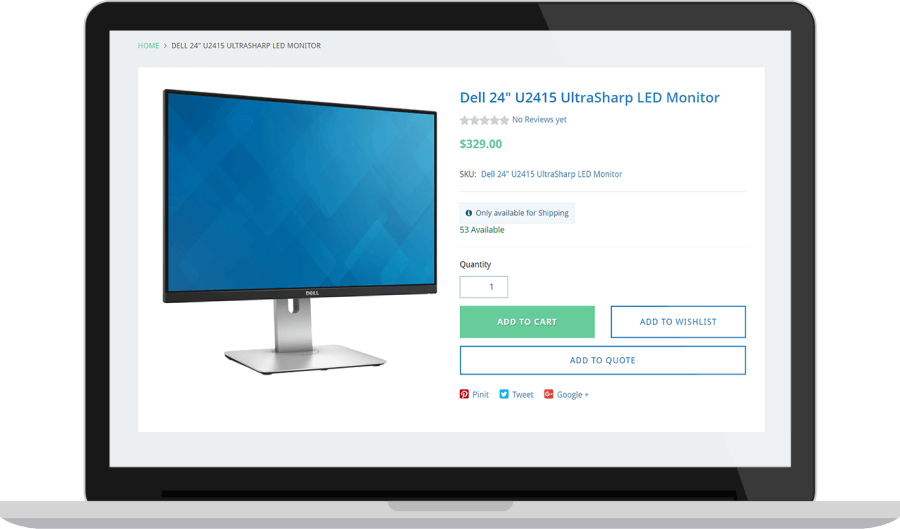
The integration of ERP and ecommerce software resolves a basic problem: the friction that builds when systems don’t talk to each other. Gathering orders, inventory, and financials in one place cuts errors and gives companies the visibility needed to make better decisions. Getting there takes planning and clean data, but for growing ecommerce operations, the payoff is well worth the effort.
ERP Ecommerce Integration FAQs
How does ERP and ecommerce integration work?
ERP and ecommerce integration uses APIs, middleware, or cloud-based platforms to connect systems and automate data flow. When a customer places an order in an integrated environment, the ecommerce system automatically passes details to the ERP software for validation and fulfillment, then the ERP software sends status updates back to the ecommerce platform. Inventory, pricing, and customer data sync continuously so both systems reflect the same information.
Which ERP modules benefit ecommerce?
Inventory management delivers the greatest impact to ecommerce, providing real-time stock visibility that prevents overselling. Order management automates processing from capture through fulfillment, while financial management handles invoicing and reporting. CRM modules unify customer data across touchpoints, and warehouse management optimizes picking, packing, and shipping.