
A manager gets the dreaded call in the middle of the night: System alerts are flashing, employees are frustrated, and customers are complaining as the company’s core applications suddenly stop functioning and start producing error messages. For many businesses, incidents are inevitable, but the way teams respond to them can mark the difference between management teams sleeping peacefully and regularly dealing with middle-of-the-night operational disasters. Companies with a mature incident management plan recover faster and minimize the cost of downtime—but the real payoff is what happens after: fewer repeat incidents and systems that emerge stronger from each disruption.
What Is Incident Management?
Incident management is the process used by IT teams to resolve unexpected service disruptions that affect normal business operations. The goal is to identify and correct problems quickly, restoring service and limiting the impact on the business.
Key Takeaways
- With the average IT incident taking hours to resolve, many businesses lose hundreds of thousands of dollars each time a service interruption occurs.
- When a problem arises, incident management teams tend to prioritize restoring service, controlling impact, and making sure the company follows strict compliance protocols.
- Incident detection remains a blind spot for many companies, with IT professionals often hearing about performance problems only after employees report them.
- A well-defined incident management plan includes seven key steps, starting with incident classification and containment and ending with resolution and a post-mortem review.
- Effective incident diagnosis requires advanced tools to detect anomalies and determine the root cause of problems.
Incident Management Explained
Today’s businesses depend on a complex, tightly woven web of digital systems that keep operations humming. Yet that same interconnectivity also raises the stakes: A single system failure, cyberattack, or software glitch can halt a company’s operations and lock out both employees and customers in seconds, causing financial and reputational damage.
What’s worse, service incidents are frustratingly common. A 2024 PagerDuty survey found that 88% of business executives believed a major disruption would likely occur within the year. Although it may not be possible to prevent every costly disruption, businesses should prioritize proactive incident management to resolve disruptions as quickly as possible. Many companies are taking bold steps in strategic preparation as they face a rise in sophisticated cyberthreats, increasingly stringent regulatory requirements, and escalating demand for real-time response capabilities. In fact, the incident management platform market reached $32.7 billion in 2024 and is expected to grow 10% annually over the next eight years, reaching $79 billion by 2033.
Why Is Incident Management Important?
A major IT incident can happen at any time. Without a strong incident management plan in place, many businesses are left vulnerable to damage as a result. Another 2024 PagerDuty survey showed that the average incident takes nearly three hours (175 minutes) to resolve, and that the estimated cost of downtime is $4,537 per minute—which means each incident costs nearly $794,000. Given that companies reported experiencing an average of 25 “priority” incidents in the previous year, the cumulative costs added up to nearly $20 million per year for each business.
What’s more, sophisticated incident processes can also spur measurable business value. For instance, a 2025 SolarWinds report found that when businesses use generative AI to automate ticket response, produce incident summaries, and supply other documentation, the average time saved per incident was nearly five hours—an 18% quicker response rate compared to resolution time without using GenAI. Ultimately, a sophisticated incident management plan is instrumental in getting businesses up and running more quickly after a disruption and keeping customers happy.
What Are the Three Major Priorities of Incident Management?
When an application freezes, a database vanishes, or other problems arise, incident management teams step in to prevent a challenging moment from becoming a full-scale crisis. The goal is to make sure the business remains steady while systems are restored in a predictable, responsible way. Behind every well-run incident response are the following three priorities that shape how teams act under pressure:
- Restore service: When issues occur, the first mission should be to get the system working again—fast. Imagine an online store encountering a major problem during a big holiday sale. Suddenly, customer transactions take too long to process, error messages appear at checkout, and payments stop going through during peak shopping hours. Engineers might respond by rolling back the latest code deployment, routing transactions through a backup payment processor, or disabling a problematic feature that’s causing delays until they figure out a more permanent fix. These quick moves stabilize service delivery so customers can continue to check out as incident management teams conduct a deeper investigation, averting the pressure of a live outage.
- Minimize impact: While one team works to re-establish service, another is often focused on containing the damage. A cloud storage provider might suddenly detect unusual activity—slower response times, corrupted files, or unexpected spikes in traffic—in just one geographic region. To prevent the problem from spreading across the entire global network, IT staff might work to isolate that region, route users to a healthy data center, and limit certain features temporarily to contain the issue. The goal is to shrink the “blast radius” of the incident, allowing the business and its customers to experience as little disruption as possible.
- Remain compliant: Acting quickly is important, but responding responsibly is just as critical. A healthcare provider that loses access to patient records—even for a few minutes—must document every step of its response to comply with HIPAA requirements. A financial institution facing a suspected data breach may need to preserve logs, restrict access to certain tools, and notify regulators within specific time frames. Even in less-regulated environments, teams often need to follow internal protocols by capturing timelines, saving screenshots, and documenting decisions to make sure the company preserves transparency.
The Seven Steps in the Incident Management Process
An incident can strike when a business least expects it, but it doesn’t have to catch the organization off guard. Whether it’s the response to a sudden outage, a suspicious security alert, or a slow-building performance issue, creating a well-defined incident management plan gives teams a strategy they can rely on the moment something goes wrong. While every company is bound to customize its approach, the following seven steps are common strategies for staying ahead of disruption so small issues don’t become major setbacks:
-
Incident Detection
Problems don’t always announce themselves with obvious alarms. In fact, many companies learn about outages from employees—or even customers—before their own tools alert them, which can be both embarrassing and costly. A 2025 NETSCOUT survey of IT professionals found that more than half discovered performance problems when employees reported them—which demonstrates how detection can be a blind spot for many companies. To detect issues earlier and more reliably, companies should consider implementing automated monitoring and alerting, anomaly detection, simulated user testing, and customer feedback practices.
-
Incident Logging and Classification
Thorough logging of an incident creates a usable snapshot that responders can act on immediately. A good log will capture when a problem occurred, what systems were affected, who reported it, and the early observed symptoms. Classification, meanwhile, helps determine the level of urgency and impact of an incident. This is critical because underestimating an issue might leave critical systems offline for longer than necessary, while overestimating minor problems can divert resources away from more pressing needs. Companies with mature logging and classification systems can route incidents to the right responders immediately, condensing resolution times and avoiding unnecessary disruption.
-
Incident Assignment and Containment
After an incident is logged and classified, it must be routed to the appropriate responders without delay. If a problem is misassigned to a person lacking the necessary expertise, valuable time gets wasted and companies may see the problem escalate; it’s important to make sure an incident lands in the hands of the specialists who know a particular system best—for example, a database engineer for back-end performance issues, a network operations supervisor for connectivity disruptions, or a security analyst for potential breaches. With the right team handling an issue, containment becomes the immediate priority to prevent the problem from spreading and to minimize the impact on users, systems, and data.
-
Incident Diagnosis
In a 2025 Foundry and UST survey of IT professionals, 53% said the length of time it takes to identify the root cause of issues is a major challenge. Diagnosis is the pivot point between containment and resolution, and it’s where incident response can either accelerate or stall. Effective diagnoses call for a combination of automated intelligence and human judgment. For example, advanced tools like GenAI assistants can scan events across systems, detect anomalies, and illuminate likely root causes, enabling incident management teams to locate the core problems faster and avoid wasting hours chasing down each symptom in isolation.
-
Incident Resolution
Once the root cause of a problem is understood, the business must focus on restoring functionality as quickly and safely as possible. Incident resolution can mean rolling back a faulty deployment, applying a targeted configuration change, deploying a code fix, or all three (and more). The stakes are high, since slow or incomplete resolution not only frustrates customers but also impacts day-to-day operations. Resolution often involves a multistep approach that stipulates stabilizing the immediate problem, clearing any lingering effects, rerouting critical workloads as needed, and running health checks to confirm that the system has returned to baseline. But effective resolution goes beyond fixing what’s broken—it also restores confidence in the system and prevents the issue from resurfacing hours later.
-
Incident Closure
Before an issue can be closed, incident teams need to verify that service is fully restored, confirm that all temporary workarounds have been safely disconnected, and make sure that any affected systems are back to their typical operating state. It’s vital to document the process, including all code changes, configuration rollbacks, and temporary mitigation steps. Before marking an incident as officially resolved, running a “smoke test” that checks metrics for stability over a 15-minute period is a good idea. IT professionals may also send a status update to employees and customers that confirms resolution, though this notice shouldn’t go out until the system is truly stable.
-
Post-Incident Review
At this stage, teams reflect on what went wrong, why an issue occurred, and how to prevent a similar problem from occurring in the future—or at least lessen the impact if it does. A structured post-incident review often includes a timeline of events from first alert to resolution; key metrics, such as the amount of downtime and the number of users impacted; a list of what procedures went well and which ones didn’t; an action plan identifying owners tasked with handling specific improvements; and any necessary follow-up tasks. A strong review depends on a corporate culture where team members don’t blame one another for issues and are instead able to openly explain what they observed and the decisions involved without fear of punishment.
Incident Management Software and Tools
The right mix of incident management technologies helps businesses detect issues earlier, respond faster, and prevent repeat failures. The following software and tools play key roles in strengthening a company’s responsiveness, accelerating diagnoses, and improving overall system resilience:
- Artificial intelligence: AI gives teams a clear speed advantage in resolving problems. A 2024 Reliaquest report shows that while businesses using traditional resolution approaches saw an average mean time to respond (MTTR) of 2.3 days, those that used some level of AI and automation saw the MTTR reduced to 58 minutes—a nearly 99% decrease since 2022. That’s because modern AI platforms can ingest massive volumes of logs, metrics, and events from every corner of a system and analyze them in real time.
- Ticket and service desks: Service desks are tasked with orchestrating the early phase of a response to an incident; if confusion sets in and tickets are misrouted to the wrong group, valuable time is wasted. A strong ticketing system is key, as it minimizes reassignment by automating how incidents are tagged and routed based on the type and severity. Some tools even analyze historical ticket data to predict the correct assignment with high accuracy, reducing multiple handoffs that bog down response times.
- Documentation tools: Clear, easy-to-access, centralized documentation reduces stress on incident responders, giving teams a single, trustworthy place to store everything they need to manage an incident: runbooks, architecture diagrams, escalation paths, troubleshooting flows, and previous post-incident reviews. Documentation tools also make sure the response to problems remains consistent: When every engineer follows the same validated procedure, the risk of accidental data loss, misconfigurations, and other mistakes drops, allowing teams to restore services more quickly.
- Automated alerts and monitoring software: Automated monitoring and observability platforms trigger instant alerts, detect anomalies, and even run synthetic tests that simulate user traffic, which enables teams to catch issues before they affect customers. Automated alerts cut detection time from minutes to seconds, often allowing teams to administer stop-gap measures before incidents escalate. These mature monitoring systems can significantly reduce MTTR and minimize repeat incidents.
How Does an Integrated ERP Help Incident Management?
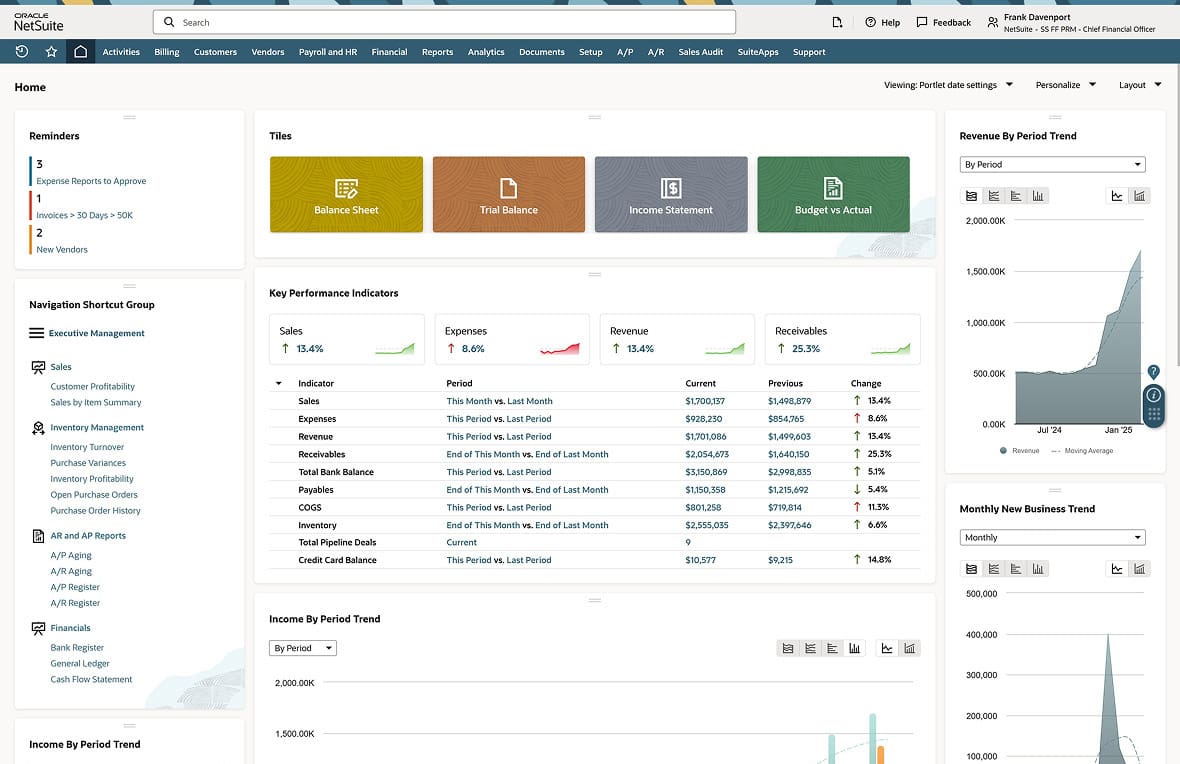
NetSuite ISP ERP brings all operational data into a single unified platform, providing real-time visibility and context for every incident. With AI-powered agents, automated workflows, and centralized dashboards at their fingertips, incident teams can access live metrics, set up automated responses, and get a clear view into how an issue impacts every part of the business. Ultimately, NetSuite ERP eliminates data silos and standardizes response workflows to reduce downtime, accelerate decision-making, and make sure incident management is proactive, coordinated, and efficient.
NetSuite ERP
While incidents may be inevitable for most businesses, they don’t have to be disastrous. With a clear incident management plan, the right tools, and a culture that treats each event as a learning opportunity, teams can turn interruptions into insights, downtime into improvement, and uncertainty into greater control. From rapid detection and accurate classification to containment, resolution, and post-incident review, every step in a mature incident management plan aims to strengthen systems and build confidence.
Incident Management FAQs
What are the four types of incidents?
The four main types of incidents are service disruptions, performance degradations, security incidents, and operational issues.
Who is responsible for managing incidents?
Incident management is typically the responsibility of service desks and incident management teams, although accountability tends to rest with the incident manager, who must coordinate triage, communicate about problems, escalate tickets, and make sure service is restored quickly.
What’s the difference between an incident and a problem?
An incident is an unplanned interruption or drop in service, whereas a problem is the underlying root cause that leads to an incident.